Your AI Flyer Sucks
By LeadPoint Digital
Instagram and Facebook pages are filled with flyers for events, services, and all manner of things right now. And they all pretty much suck.
Yes, you saved a ton of time creating a flyer with AI, but there’s a glaring problem. You are getting zero response from them.
Your information is getting lost in a sea of sameness.
Flyers with almost cartoon style images, a big headline, and multiple blocks of small copy – way too much copy – that are just too small to read without clicking and zooming. So, if I even looked at your flyer and considered it, I immediately moved on because important and relevant information was too hard to find.
I’m also never going to click and zoom an image on social media to learn more. That’s way too much work! Chances are your behavior is exactly the same, so why would you expect something different from people visiting your business page?
This is a fixable problem.
I’m not even going to tell you not to use AI for generating flyers.
But please use it smarter.
A good flyer on social media only needs a couple of things:
- Interesting and relevant image (something real or authentic is preferred)
- Event or service name
- Time, date, and place (if applicable)
- Business logo
The problem with most of the AI flyers floating around right now is they contain too much information, rendering it useless. Red flags:
- Large, sometimes cartoon-style image that has nothing to do with the brand or business (features generic people or locations)
- Oversized header followed by multiple text boxes of information, ranging from three to 10!
- Brand elements and logos that aren’t quite right
- Shape and size that’s not quite right for social media
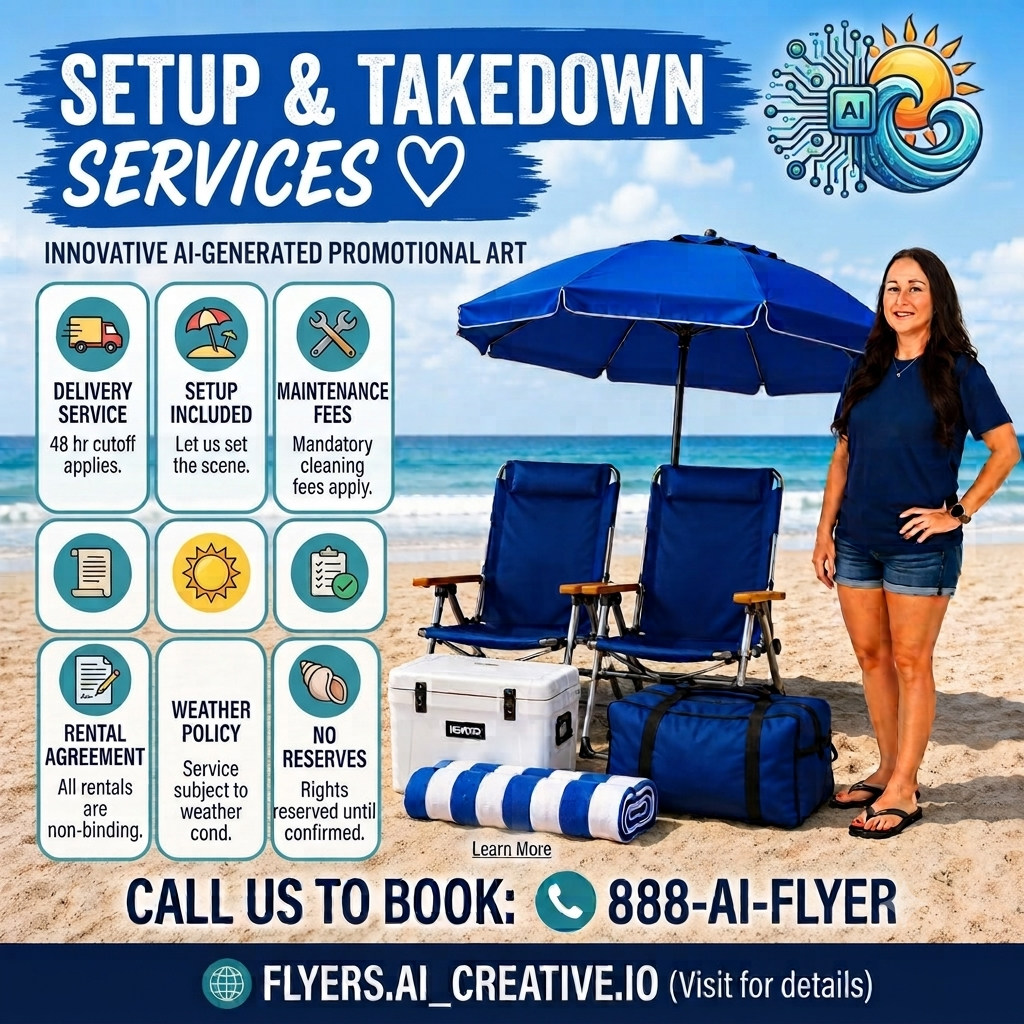
The core issue is that all these flyers look the same. None of them disrupt your scroll or call attention to a brand you might be interested in getting information from. There are no people or places you recognize, meaning you don’t stop to look.
Here’s how you fix it:
- As you write the prompt, include some of your brand images for reference
- Keep the text short and simple; don’t over-feed during the prompt
- Revise; don’t just take the first version you are given
- Put additional details or information in the description text of the social post itself, not in the image
Another consideration: Hire a local graphic designer to help you create a few custom templates to use for promotion on your social media channels. They’ll feel more authentic, connect better with audiences, and generate more interest!